Register for a Telstra DES account

Step-by-step guide on how to register for Telstra DES (Device Enrolment Service) account
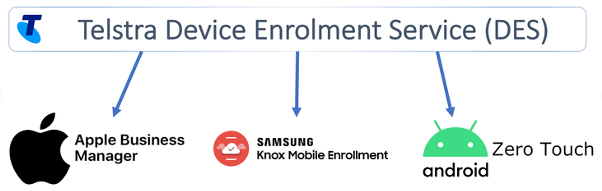
Telstra Device Enrolment Service (DES) portal keeps a record of all the compatible devices you have purchased from Telstra and allows you to add or remove these devices into the device manufacturer’s programs.
Request a Telstra DES account
Pre-Requisites:
- Be a Telstra Business or Enterprise customer
- Have an account with at least one device manufacturer (Apple DEP or Samsung KNOX) To request a Telstra DES account, please complete this form.
Note: You will need to supply your Telstra Mobile account number (10 digits) and Customer ID from the device manufacturer (Apple DEP and/or Samsung KME).
Review and Submit
Review the information provided and submit your application by clicking Finish.
Wait for approval
After you submit your enrolment application, Telstra will review the information provided (processing takes approximately 48 hours). You’ll either be notified when verification is complete or contacted by Telstra if additional information is needed.
Add administrators
You can add administrator accounts for individuals who are authorised by your business to access the portal. Log in to the Telstra DES portal and choose Customer Details from the menu bar. Choose Add Admin User and enter a name, an email address, and a contact number, if applicable, for your new administrator. You can create as many administrator accounts as you like.